UnfollowX Pro
Free & unlimited mass unfollow on X (Twitter).
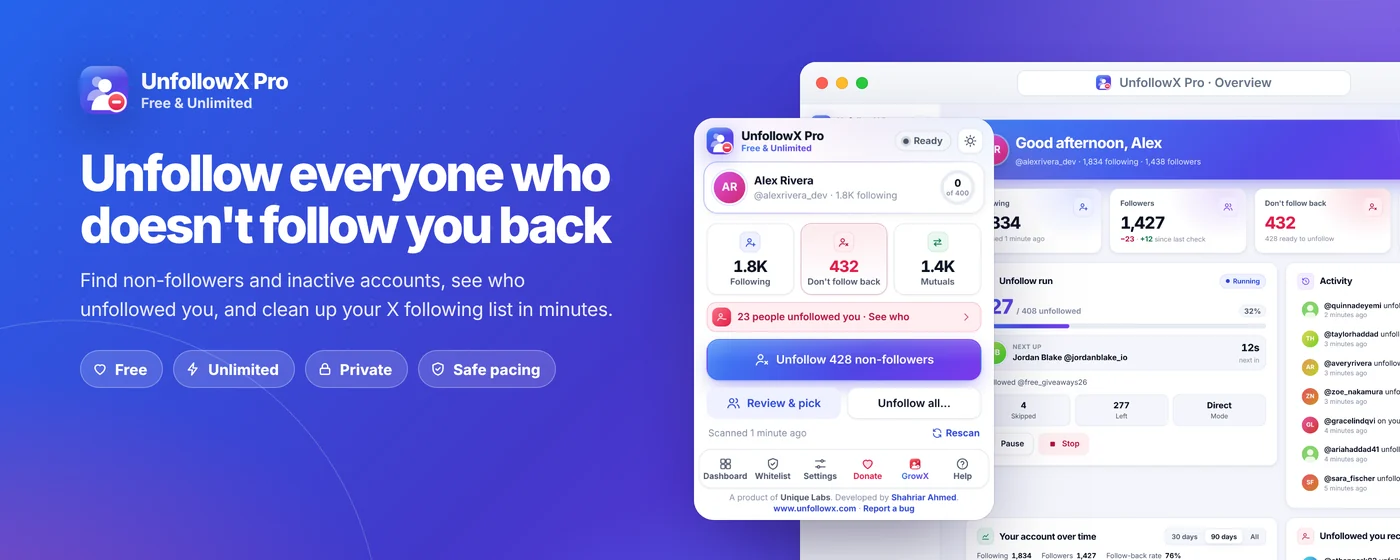
See who doesn't follow you back on X, who unfollowed you and which accounts have gone quiet — then unfollow the ones you choose, at a safe pace. Free, with no limits and no sign-up.
- Category
- Browser Extensions
- Platform
- Chrome extension
- Pricing
- Free
Screenshots
Screenshots
About UnfollowX Pro
UnfollowX Pro shows you who doesn't follow you back on X (Twitter), who unfollowed you, and which accounts have gone quiet. Then it unfollows the ones you choose, at a safe pace, while you keep browsing. It's free, with no limits, no sign-up and no subscription.
How it works
- Open x.com and sign in as usual.
- Click the extension icon and press Scan my following. It takes about a minute and changes nothing.
- Look through the results and add anyone you want to keep to the whitelist.
- Press Unfollow non-followers, or open the dashboard and choose exactly who goes.
Safe by design
X restricts accounts that unfollow too quickly, so UnfollowX Pro works at a human pace: random gaps between unfollows, regular breaks and a daily limit. Choose Safe, Balanced or Fast, or set your own numbers — and stop instantly at any time.
Works with both the new and the classic X website, in English, Spanish, Portuguese (Brazil), Hindi, Indonesian, Turkish and Arabic.
Main features
- 01
Non-followers
Lists everyone you follow who doesn't follow you back — unfollow them all in one click, or only the ones you pick.
- 02
Who unfollowed you
Each scan shows who left, who's new and who you haven't followed back yet.
- 03
Inactive accounts
Finds accounts that haven't posted in 30 days, 90 days, 6 months or a year, and accounts without a blue check.
- 04
Whitelist & rules
Keep the people you care about, plus whole groups such as verified, private or recently followed accounts.
- 05
Choose exactly who goes
Search, filter, save selections as groups, export to CSV or import a list of handles.
- 06
Safe pacing
Random gaps, regular breaks and a daily limit; it keeps working in the background and stops instantly when you ask.
- 07
Undo mistakes
Follow people back, or re-follow anyone you removed by mistake from History.
- 08
Free & private
No limits, no sign-up and no subscription.



Have something to build, launch or grow?
Let's talk about how Unique Labs can help.