
Rowlio
Turn any webpage into structured data.
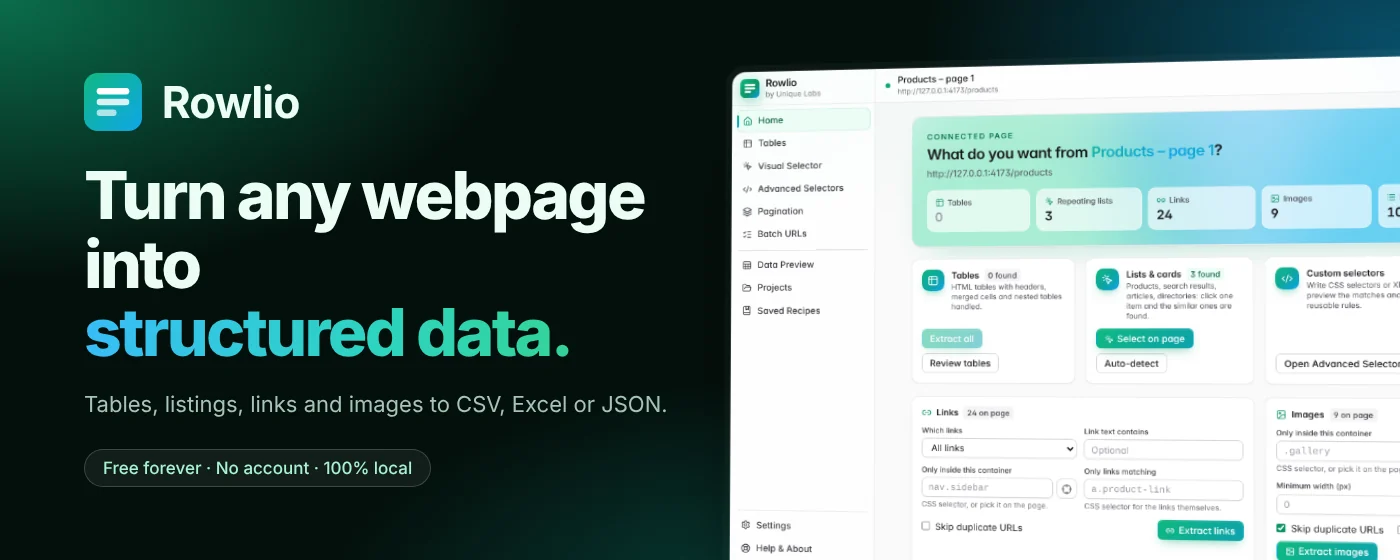
A free web scraper and data extractor for Chrome. Extract tables, listings, links, images and contact details into clean rows, then export to CSV, Excel or JSON. Everything runs in your browser.
- Category
- Browser Extensions
- Platform
- Chrome extension
- Pricing
- Free
Screenshots
Screenshots
About Rowlio
Rowlio turns tables, product listings, search results, links, images, contact details and page metadata into clean rows you can review, tidy up and export to CSV, Excel, JSON, JSON Lines, TSV, Markdown or HTML.
Everything happens inside your browser: no account, no server, no usage limits and no premium tier.
From page to file in three steps
- Open a page and let Rowlio show what it contains — tables, lists, links and images.
- Click one item and Rowlio finds the similar ones, with the fields inside them. Or use CSS selectors and XPath for full control.
- Review and clean the rows, then export them in the format you need.
Pagination, infinite scroll and batch runs over a list of URLs are always started by you and bounded, with progress and a Stop button.
Main features
- 01
Tables, done properly
Finds every table on a page and handles multi-row headers, merged cells and nested tables.
- 02
Visual selector
Click one item and Rowlio finds the similar ones and their fields — title, price, image, link, rating and more.
- 03
CSS & XPath
Advanced selectors with validation, match counts, previews and on-page highlighting.
- 04
Pagination & infinite scroll
Follow next links, page numbers or your own selector — always user-started, bounded and stoppable.
- 05
Batch URLs
Run one extraction over a list of pages you supply; every row records the page it came from.
- 06
Clean before you export
Edit, sort, filter, remove duplicates, split and combine columns, with full undo and redo.
- 07
Links, images & contacts
Extract links, images, email addresses, phone numbers, social profiles, metadata and structured data.
- 08
Export anywhere
CSV, XLSX, JSON, JSON Lines, TSV, Markdown, HTML or the clipboard.
- 09
100% local
No account, no server, no limits — your data never leaves your browser.



Have something to build, launch or grow?
Let's talk about how Unique Labs can help.